
Get the App on iPhone
No App Store, no download size, no updates. Add it straight from Safari and it works just like an app.
Takes about 30 seconds-
1
Open bid-euchre.com in Safari
This only works in Safari. If you're in another app or browser, copy the link and open it in Safari first.
-
2
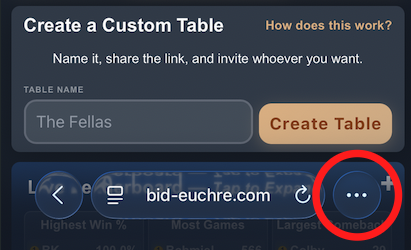
Tap the ⋯ button next to the address bar
-
3
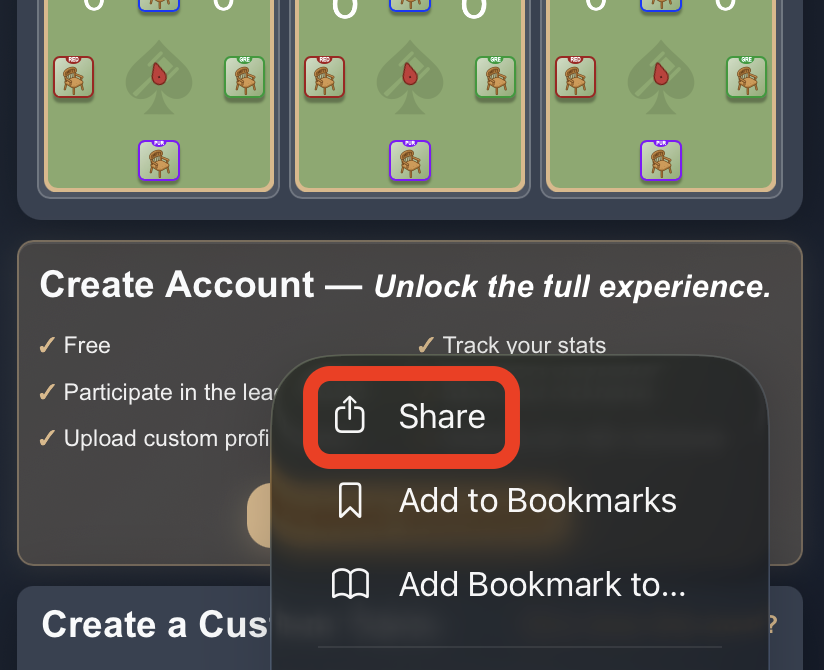
Tap Share at the top
-
4
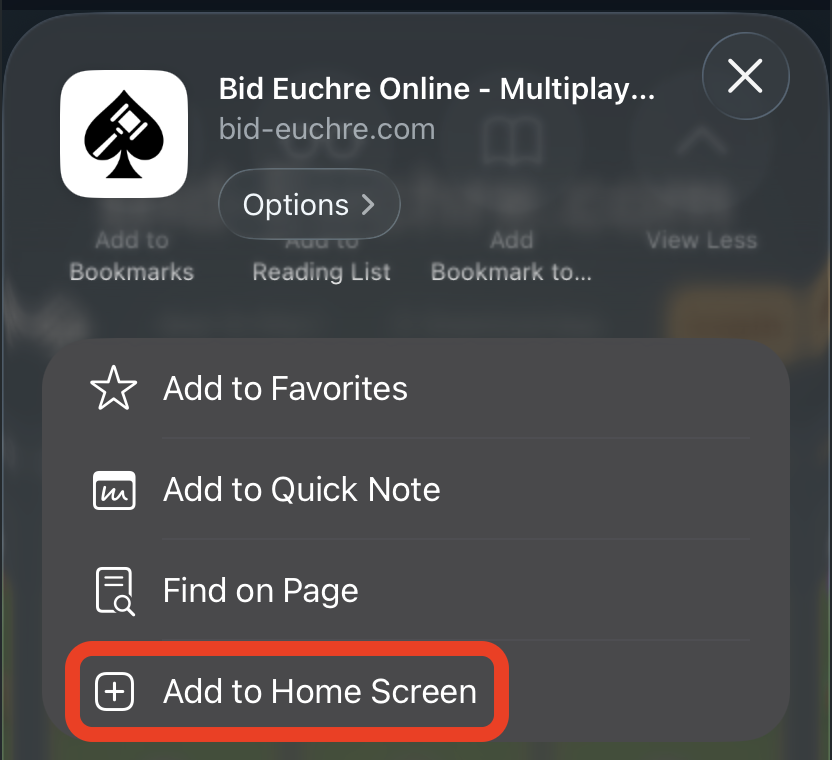
Scroll down and hit Add to Home Screen
-
5
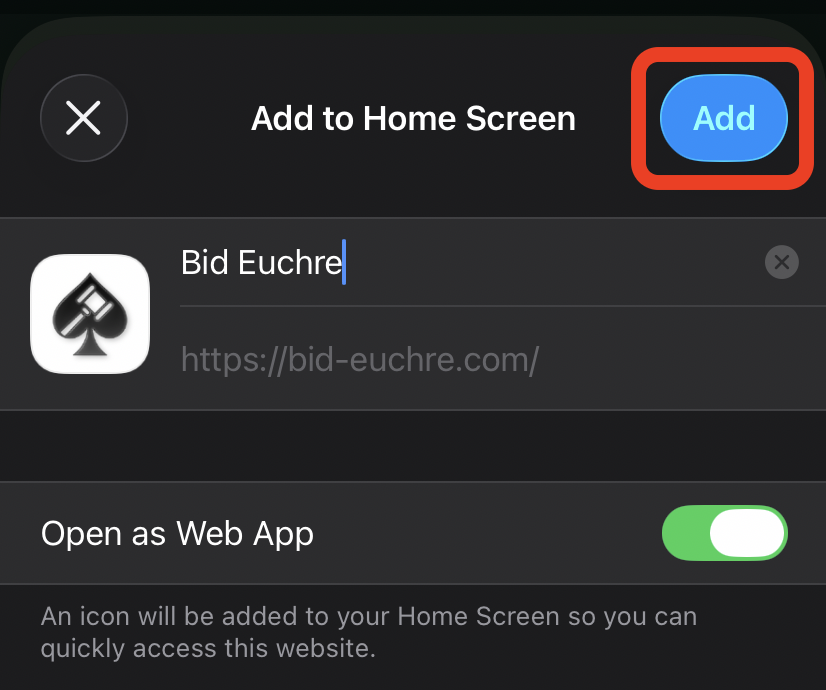
Tap Add
Leave “Open as Web App” switched on.
You're all set!
Bid Euchre is now on your home screen. Tap it anytime. It opens full screen, just like an app.